For nail, brow and lash artists, skin care specialists and massage therapists
Online booking in your very own Telegram bot
Clients choose a service and a free slot themselves, even at night. The bot reminds them about the visit, offers freed-up slots to the waitlist and asks for a review. All that’s left for you is to confirm the booking with one tap.
14 days free · no card needed · set up in 2 minutes
See the demo — what your clients see


What Okoshki does
24/7 booking in your bot
You get your own bot under your name, like “Nails by Alina”. Clients open it, see your services with prices and photos, pick a date and a free slot, and book in a minute. They can choose several services at once: the time and price add up. They can also attach a reference photo and a comment.
You get a notification and confirm with one tap. You can also turn on auto-confirm. Two clients can never book the same time.
Reminders and fewer no-shows
A day before and 2 hours before the visit, the bot reminds clients of the time, service and address. If their plans change, they reschedule or cancel themselves, in advance — not 10 minutes before the appointment.
Three weeks after the visit, the bot can ask “Time for a touch-up?” and offer to book. You turn this reminder on yourself.
You choose the texts and timing. The bot doesn’t disturb anyone at night: a reminder that falls at night arrives in the morning. And if you forget to confirm a booking, the bot will remind you too.
Waitlist
The day they want is fully booked? Clients join the waitlist for a date and a time that suits them. When someone cancels or reschedules, the bot offers the freed-up slot to the first person in line and holds it for them for 15 minutes. No reply, and the slot goes to the next person.
You see the waitlist too, and you can offer a slot manually.
Reviews and the “Verified specialist” badge
Two hours after the visit, the bot asks the client for 1 to 5 stars and a few words. Only clients who actually had an appointment with you can leave a review. You can reply to reviews but can’t delete them — that’s why people trust them. If a review is unfair, you can dispute it, and we’ll look into it.
The “Verified specialist” badge appears automatically after 5 reviews with an average of 4.5 or higher. Or sooner, if we’ve verified that you’re actively seeing clients.
Link for Instagram: booking without Telegram
Not every client uses Telegram. For them, there’s a page at okoshki.io/m/your-name where they can book right in the browser. Put the link in your Instagram bio, your link-in-bio page or your stories. The client leaves their name and phone number, and the booking comes to you in the bot. After booking, they’re offered reminders in Telegram with one tap.
The link comes with a QR code: print it and put it by the mirror or at the front desk.
And also
After confirmation, clients see how to pay you: cash, bank transfer, QR code or USDT. We don’t handle the money.
You manage everything in your bot with the “Manage” button, which only you can see. On a computer, the same dashboard opens in the browser; you log in with Telegram.
Every client has a visit history and your notes.
English, Russian and Vietnamese, for your clients and for you.
What your clients see — and what you see
Swipe sideways to see all screens
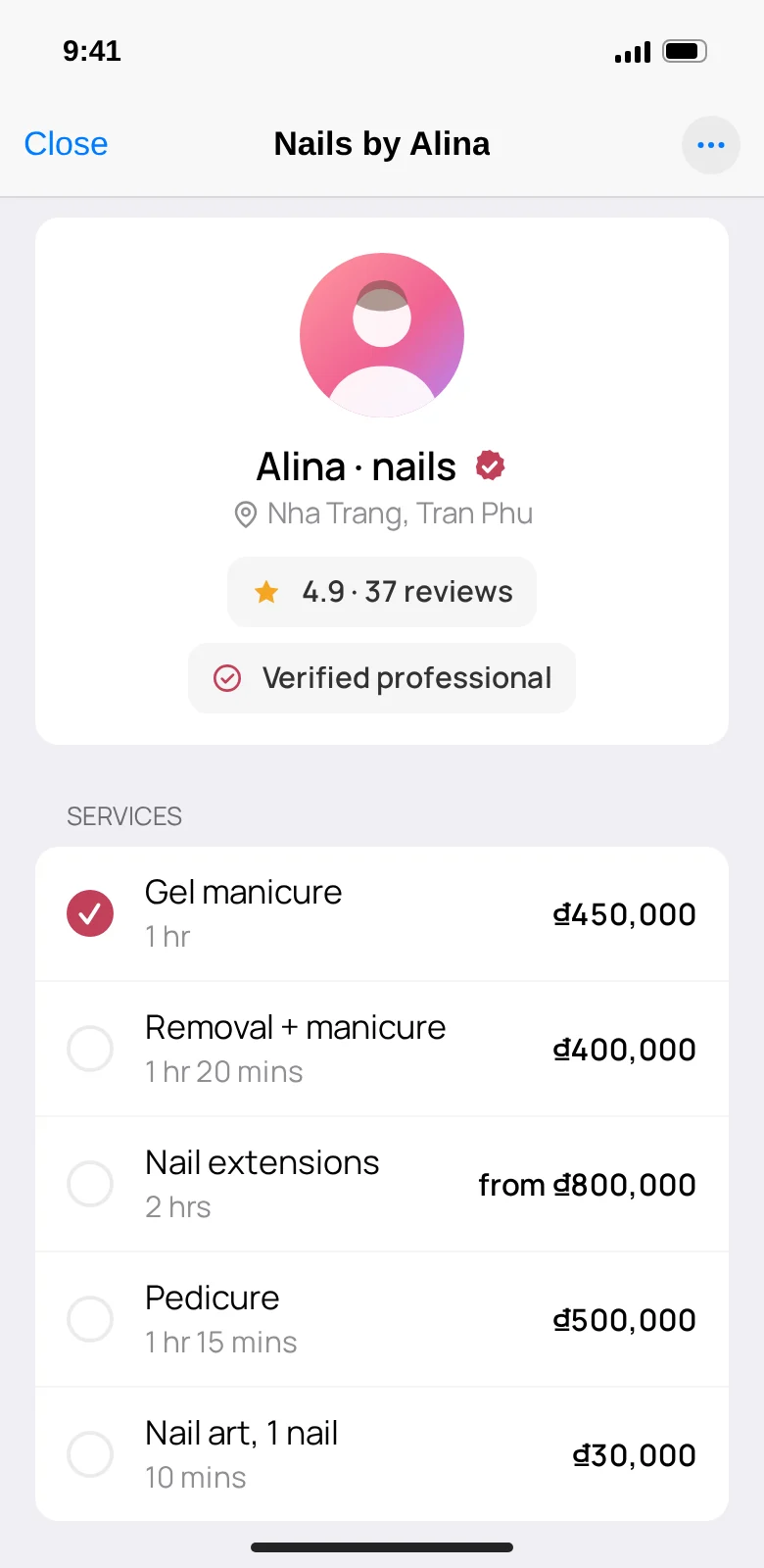
Clients see your services, prices and reviews 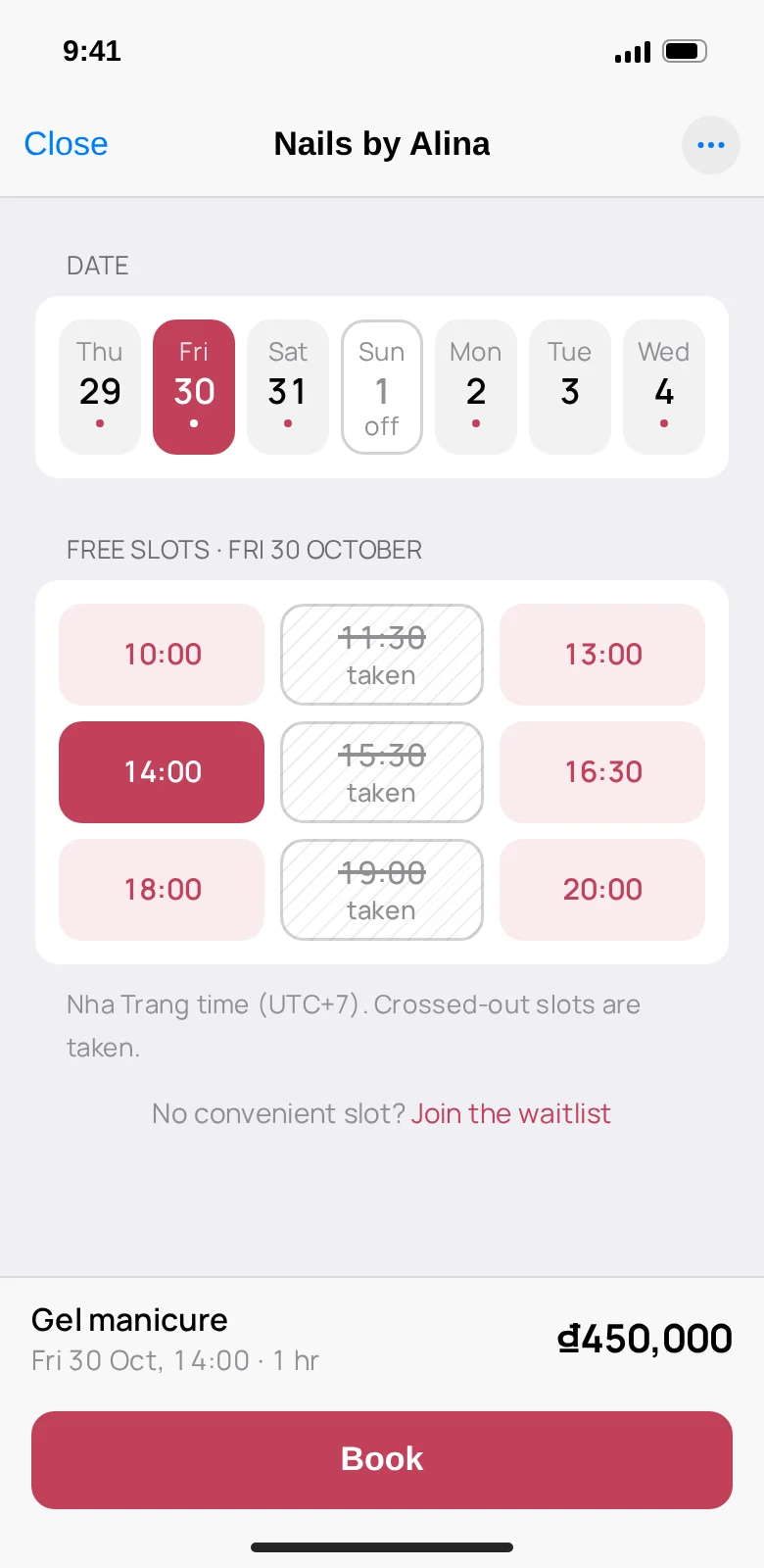
They pick a free slot. Booked times are crossed out 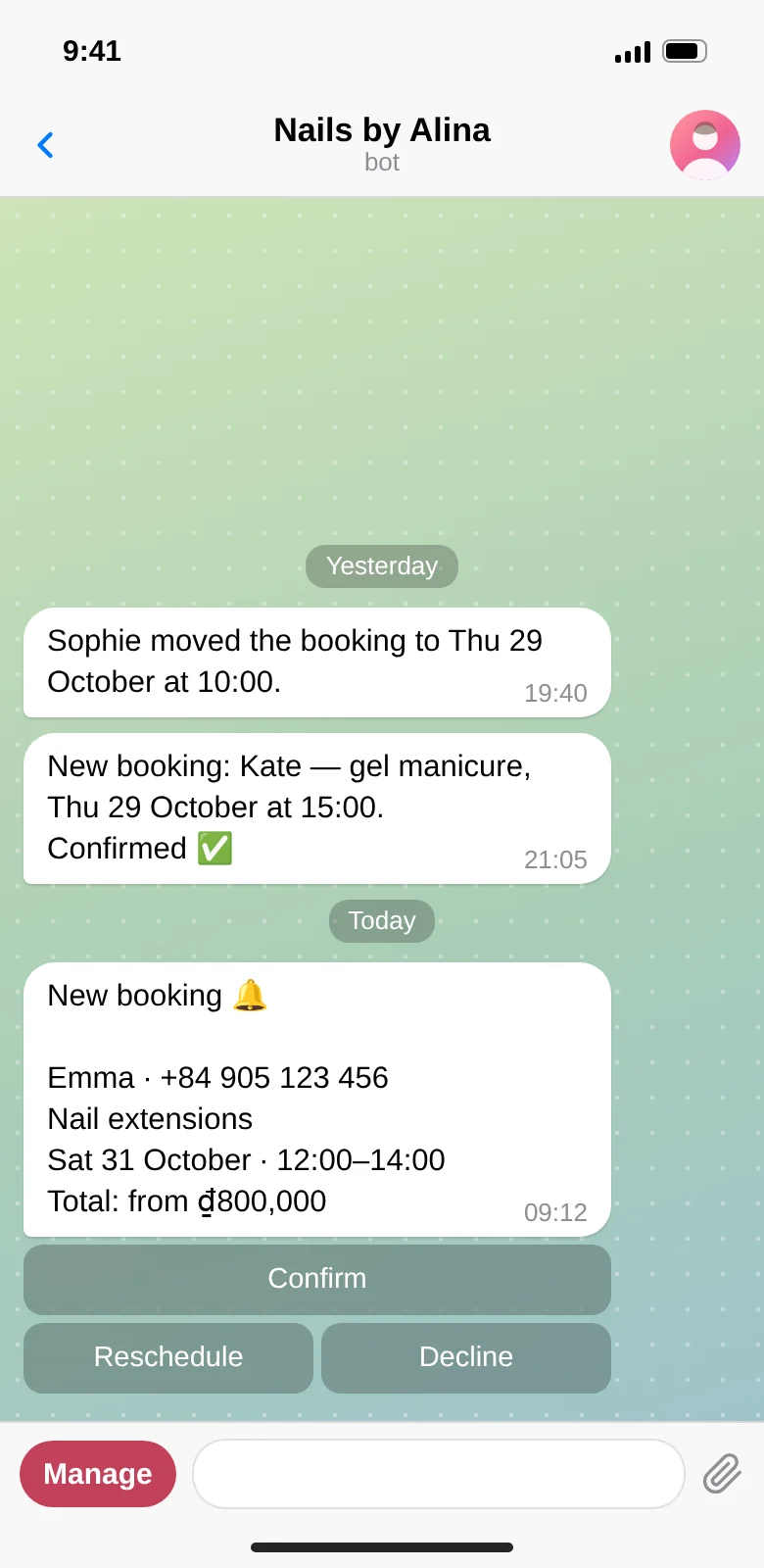
You get a notification and confirm with one tap 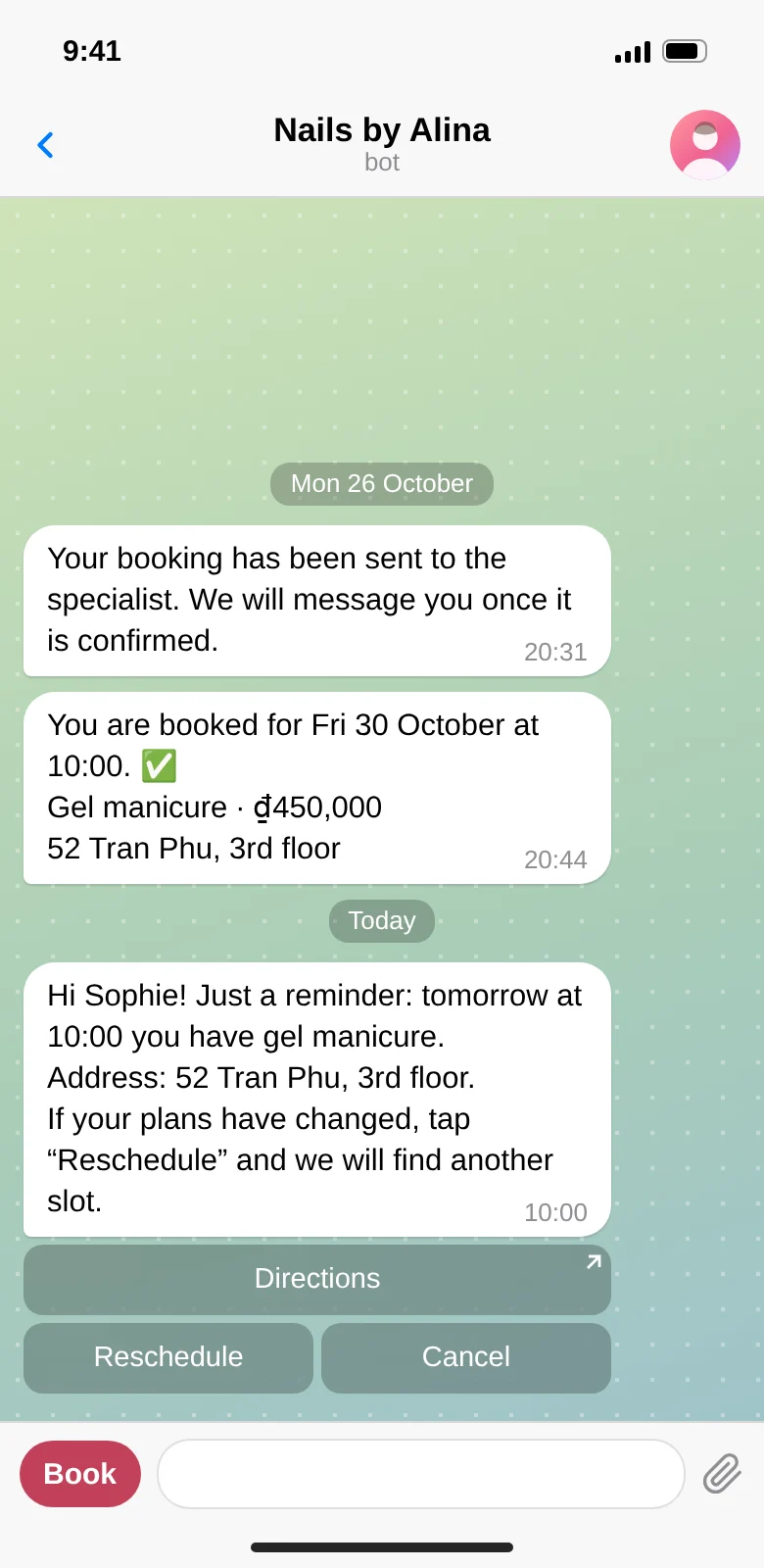
Clients get a reminder the day before. If plans change, they reschedule themselves 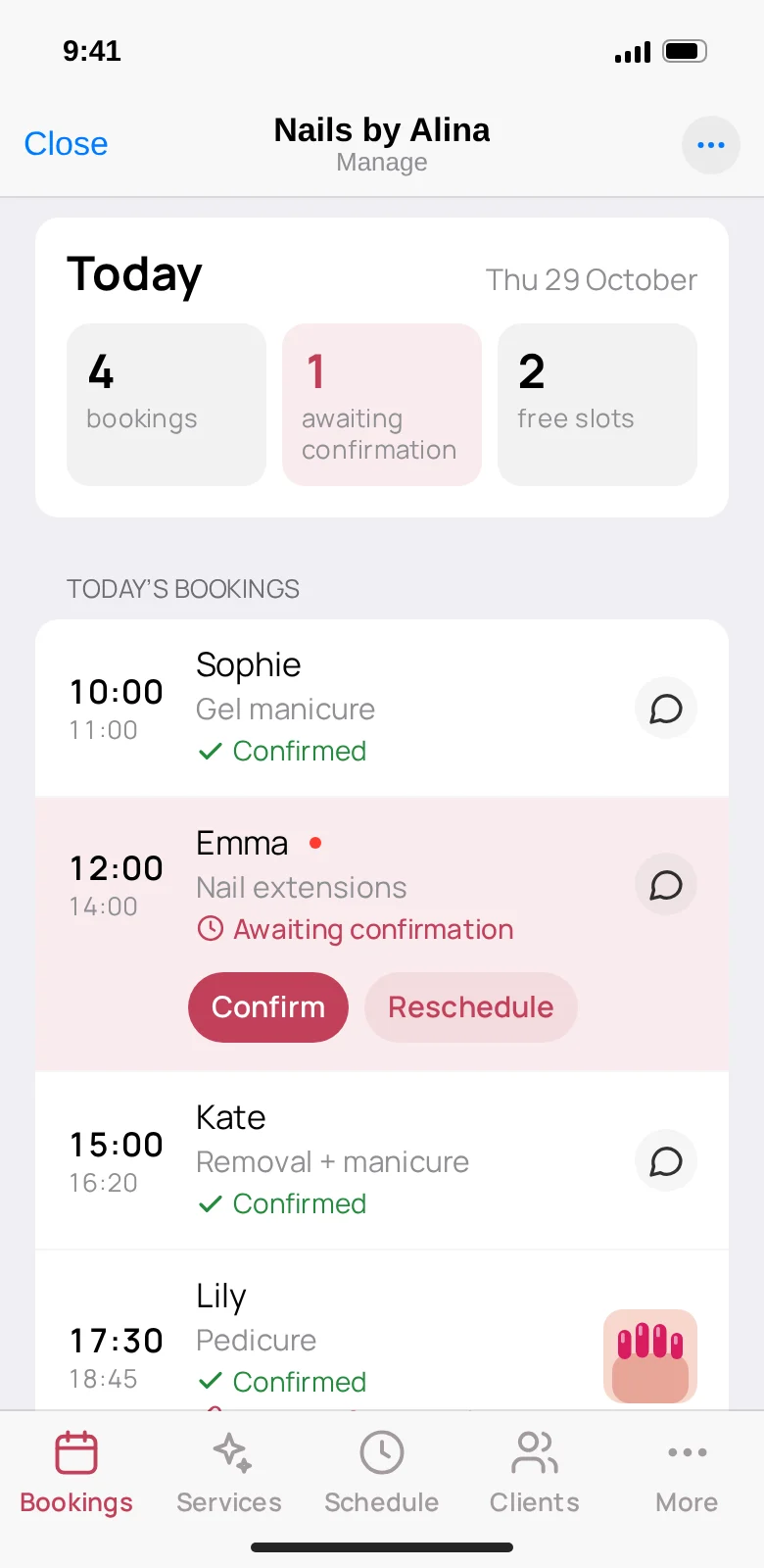
Your whole day on one screen 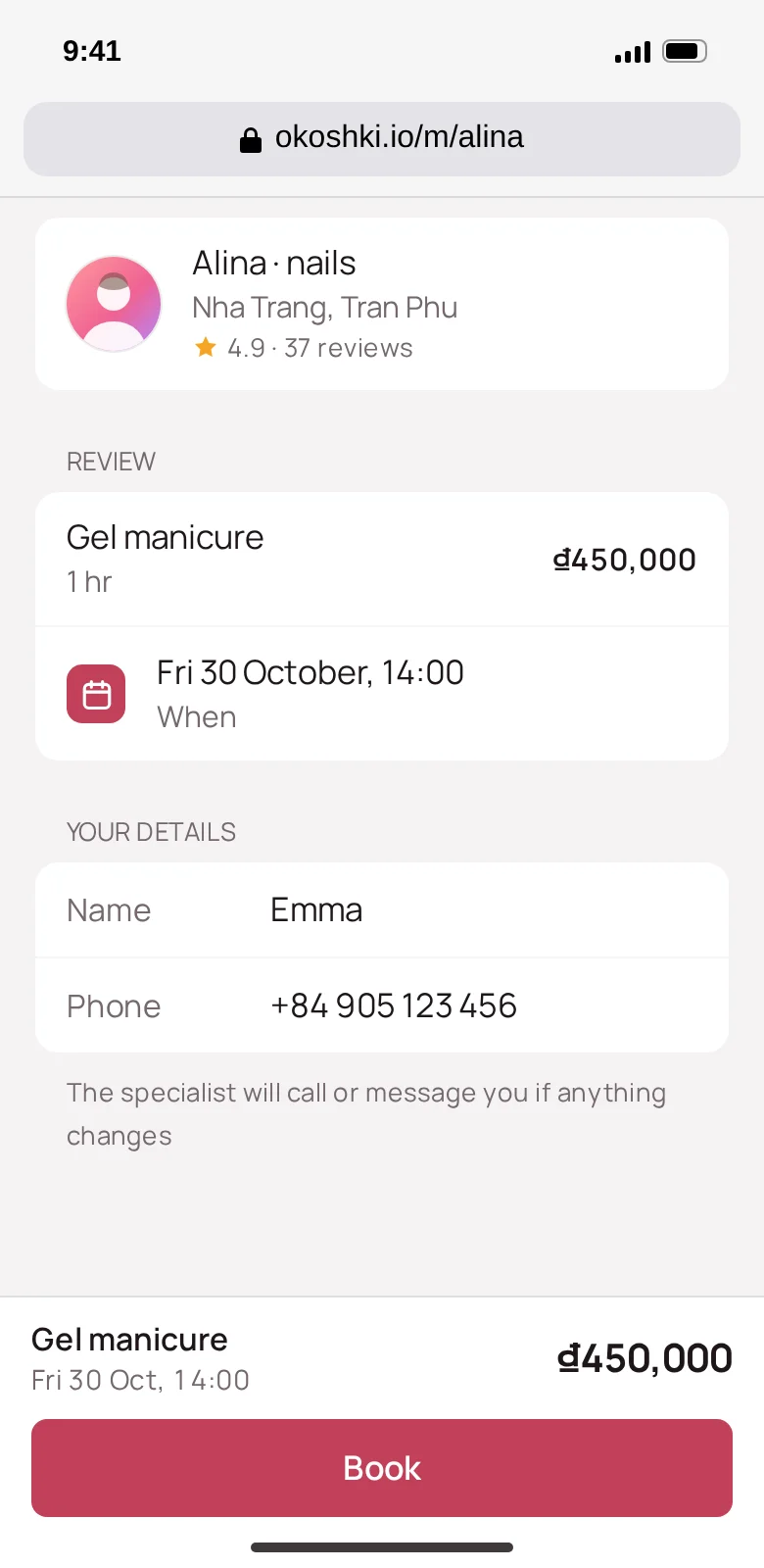
Link for Instagram: booking right in the browser


Set up in 2 minutes
Create a bot in one tap
Open @okoshki_nhatrang_bot and tap “Connect my bot”. Telegram will offer to create a bot; you confirm, and it’s ready. The bot is created on your account, so in Telegram you’re its owner, not us.
Add your services and schedule
For each service, enter a name, duration and price. Then mark your working days and hours, breaks and days off. Three services are enough to start; you can add the rest later. If we’ve already made a demo for you, the services and photos will be filled in automatically.
Share your link
You’ll get a link to your bot, a page for Instagram and a QR code. Send them to your clients, and they can start booking.
Already have a bot? You can connect it with a token from @BotFather.
One plan, everything included
14 days free
All features. No card needed, nothing is charged automatically.
$12 a month
After that, one plan with no limits on clients or bookings.
We’ll remind you 3 days and 1 day before your trial ends. If you decide not to continue, you don’t need to do anything.